Your books, matched every morning. Month-end, mostly done.
OttoDash reads your bank activity, Shopify and Amazon payouts and retailer remittances, checks them against NetSuite, and gives each accountant a short list of what's actually left, with the import file ready.
- Read-only to NetSuite
- Several accountants at once
- English · 简体中文 · 繁體中文
- Web, Windows and Mac
The problem
Where finance teams lose the week
Selling through stores, marketplaces and retailers means money arrives in pieces, net of fees and deductions, and rarely with the invoice number on it.
An e-transfer, a wire with half a reference, a payout that bundles forty orders. Someone has to work out what each one pays.
Amazon Vendor Central, Costco and Walmart pay short for shortages, co-op, damages and fees, each coded differently and split across files.
Shopify, Amazon, Stripe, PayPal and Affirm hold back fees, refunds and reserves, sometimes in USD landing in a CAD account.
Small differences pile up until month-end, when they're hardest to trace.
A deposit dated the 31st on the bank and the 1st in NetSuite moves revenue between periods without anyone noticing.
Who promised to pay, who was last emailed, who is 60 days late. It lives in an inbox and someone's head.
What it does
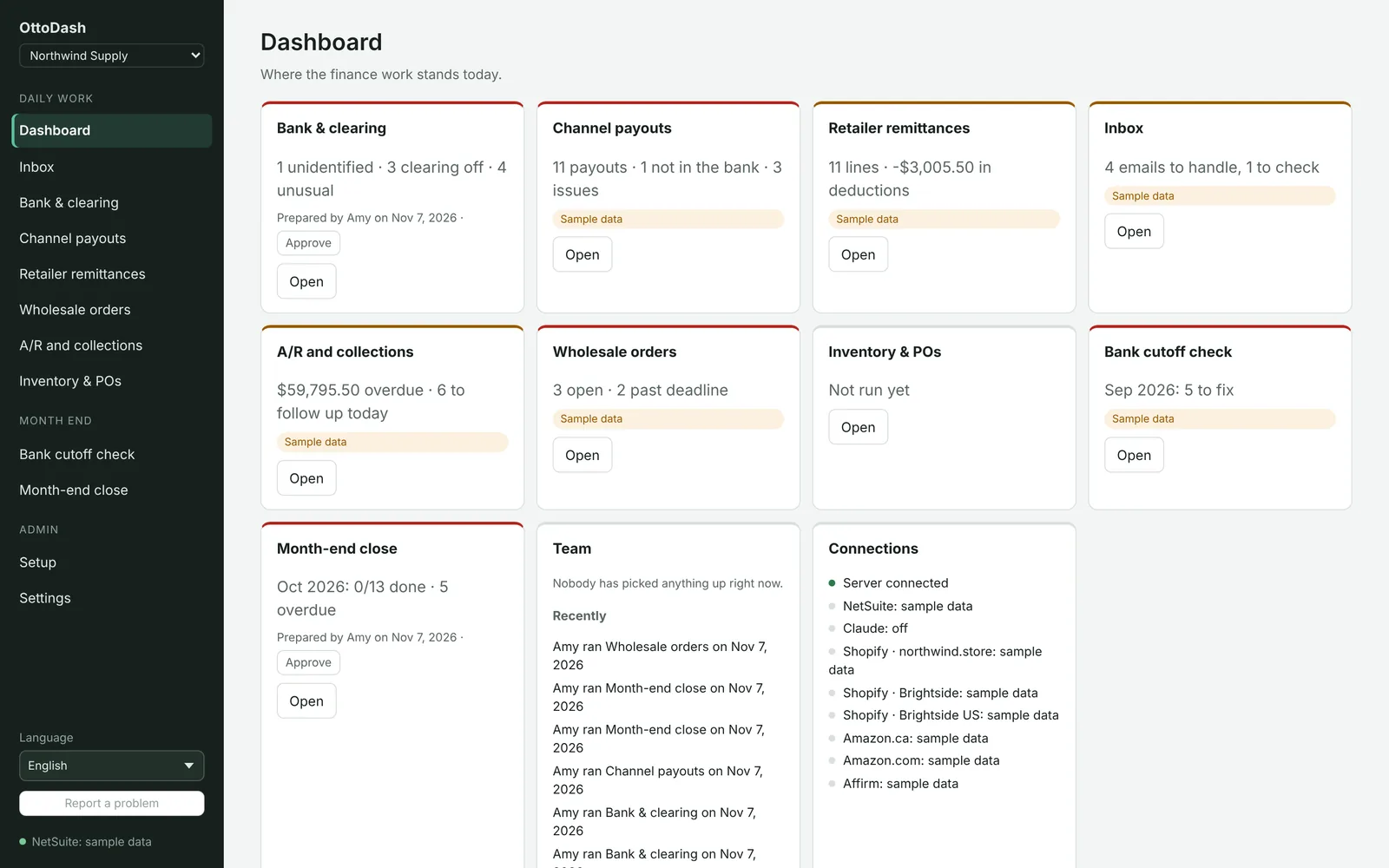
One desk for the daily work and the month-end
Each screen does one job: it reads the files or pulls the data, applies clear rules, and hands back a short list and a file to import. Nothing is posted to NetSuite automatically.
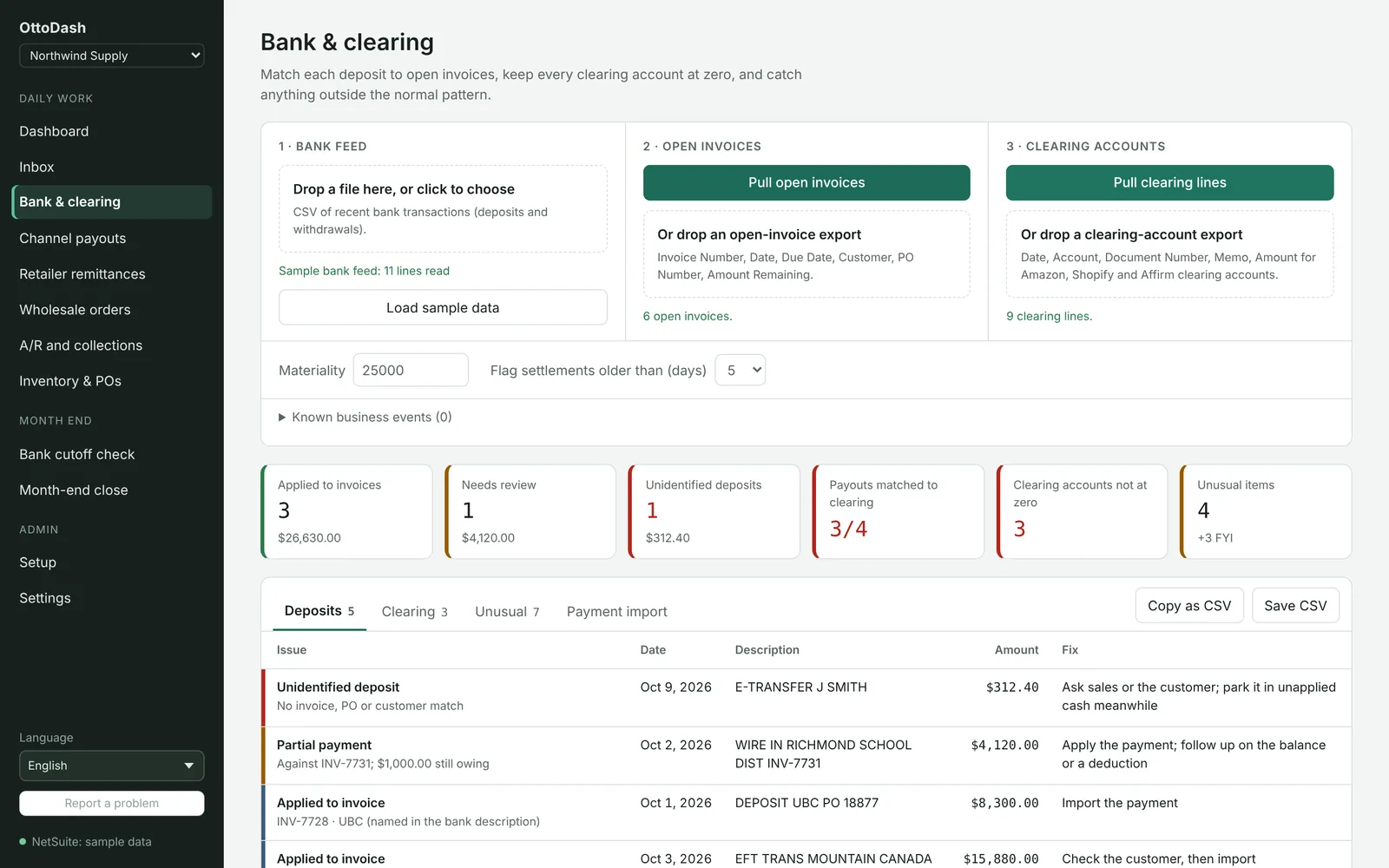
Bank & clearing
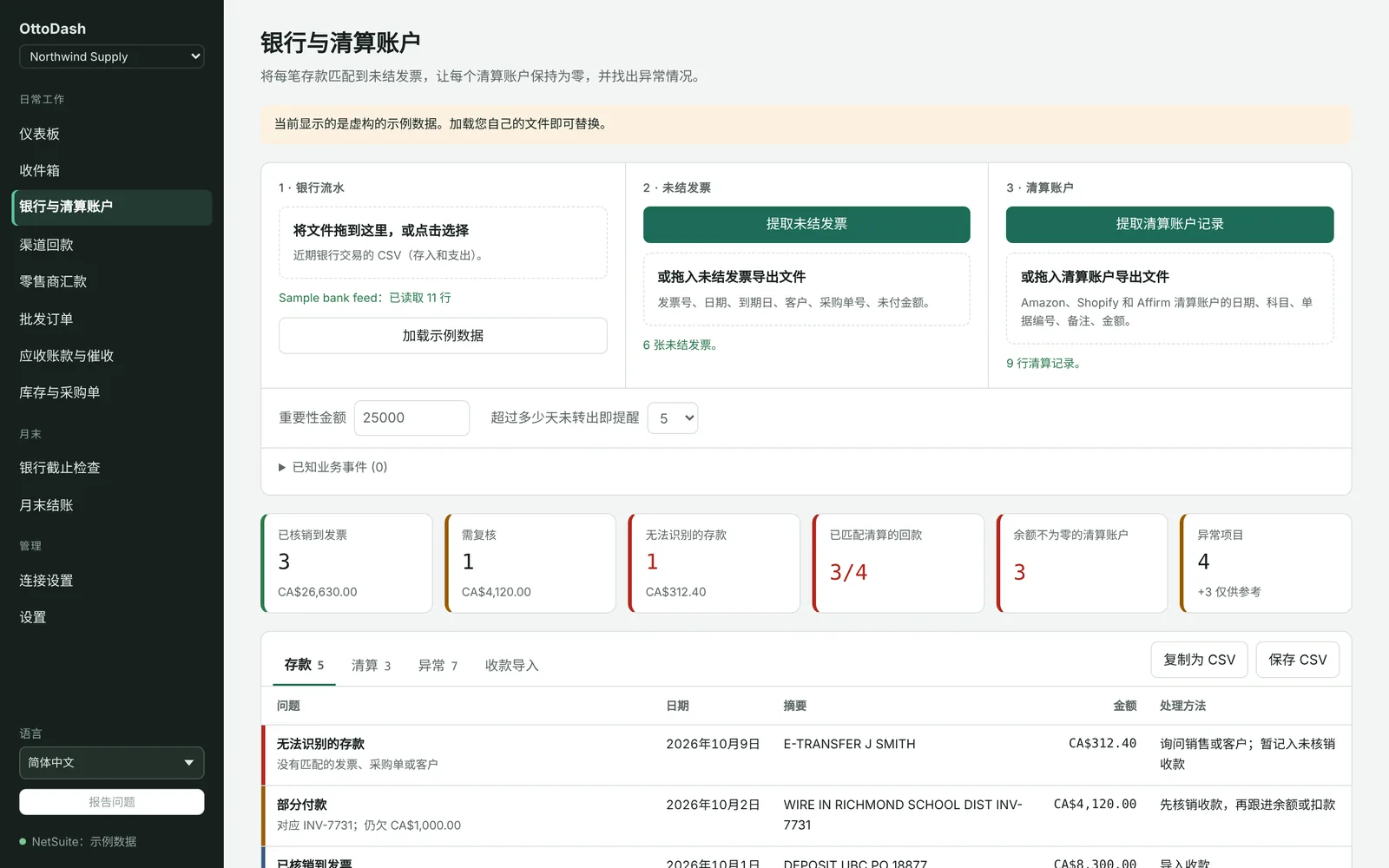
Every deposit matched to an open invoice by reference, amount or customer, and every clearing account checked against zero.
- Partial payments and bundled deposits found and explained
- Unusual items flagged against your normal pattern
- Customer-payment import file for NetSuite, ready to review
- RBC, TD, BMO, CIBC and Scotiabank exports recognised; any other CSV mapped once
Retailer remittances
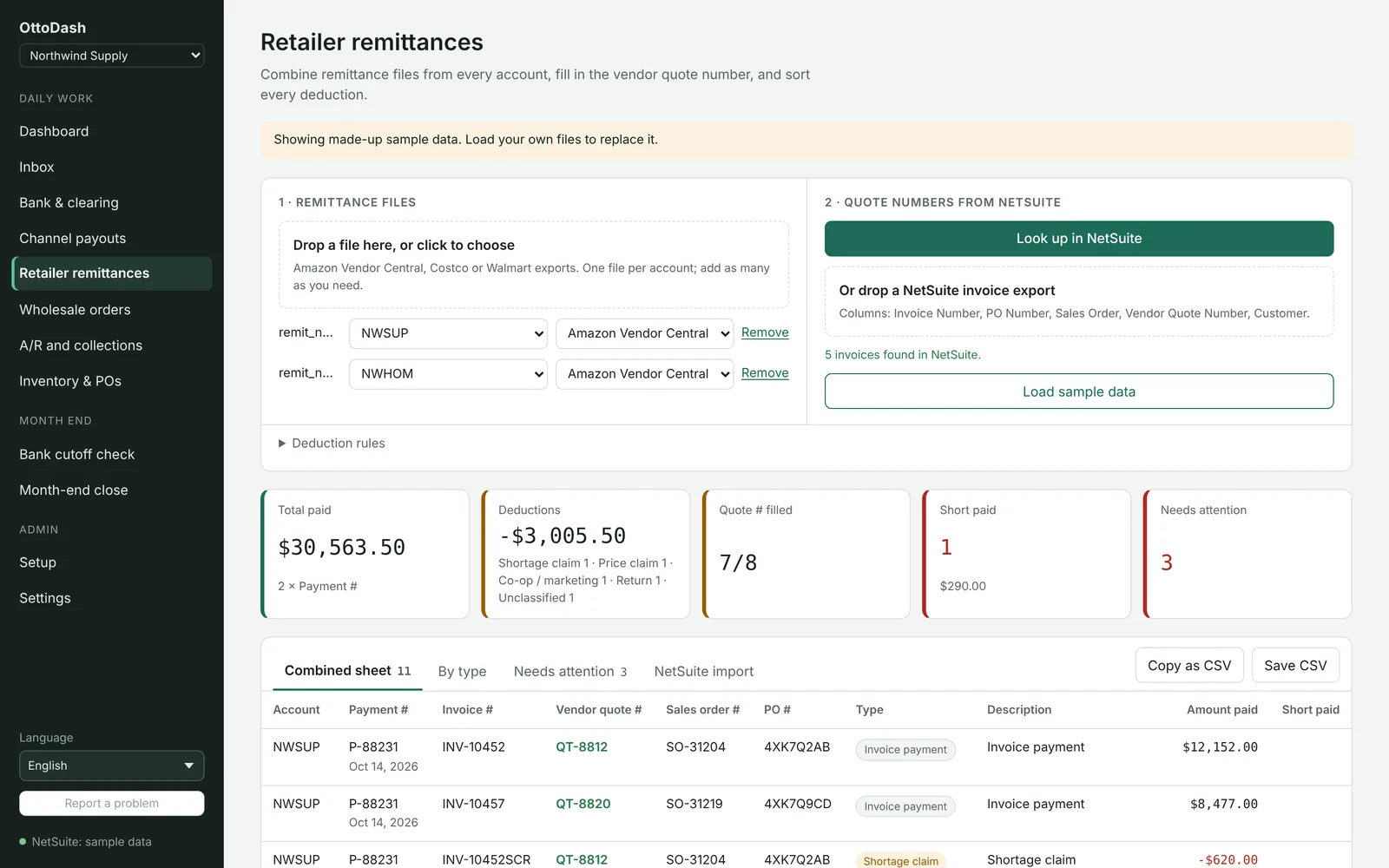
Combine Amazon Vendor Central, Costco and Walmart remittances, fill in the quote and sales-order numbers from NetSuite, and sort every deduction.
- Vendor Central types understood: shortage claims, price claims, co-op, returns and fees
- Several vendor codes kept apart, or booked to separate subsidiaries
- Deduction rules your reviewer can adjust
- Checks that each payment adds up before anything is imported
Channel payouts
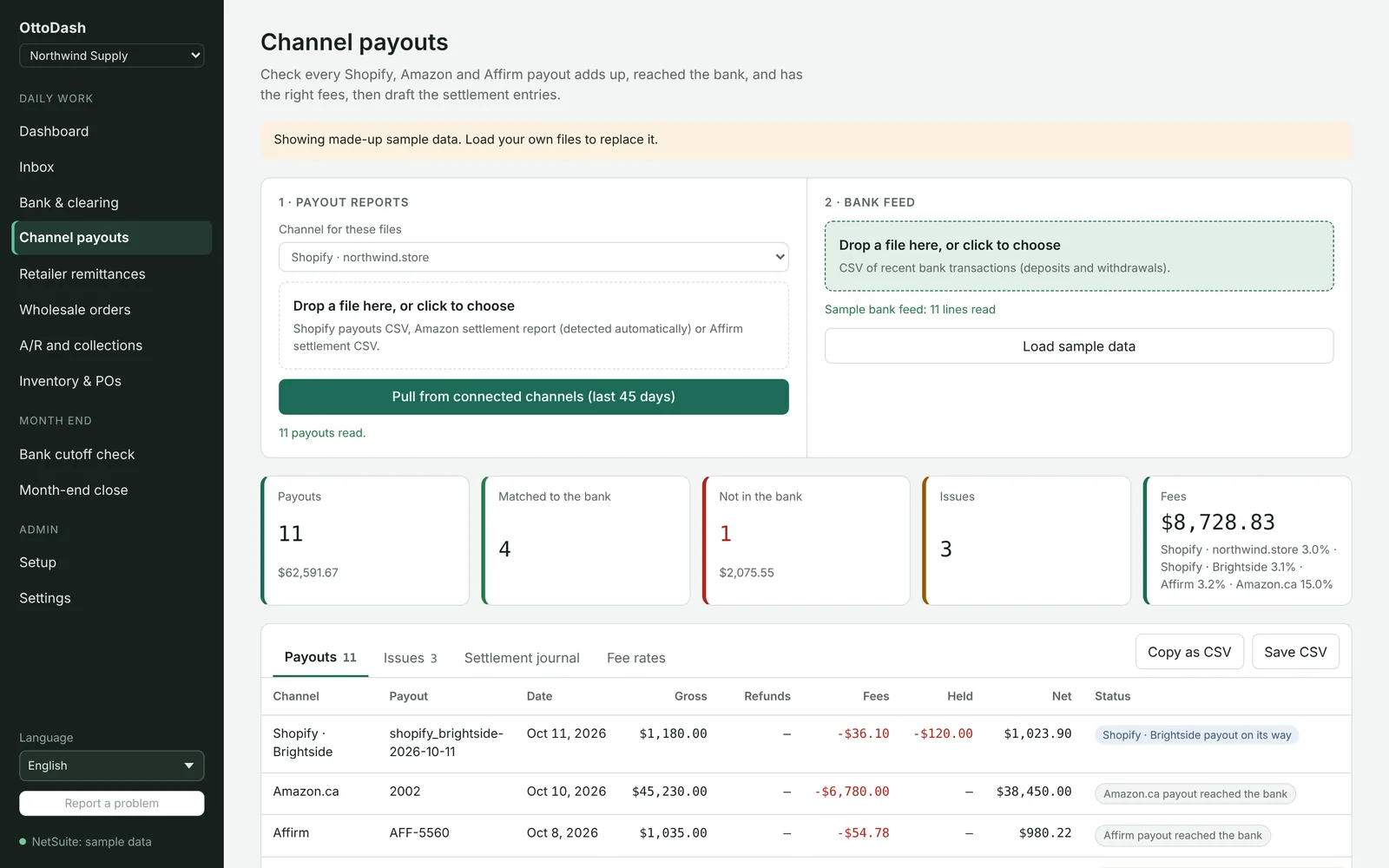
Every Shopify, Amazon, Stripe, PayPal and Affirm payout checked: it adds up, it reached the bank, and the fees are what they should be.
- Payouts pulled from the platforms or read from their reports
- USD payouts matched to CAD deposits within a sensible rate
- Fee rates per channel so an odd one stands out
- Settlement journal drafted for review
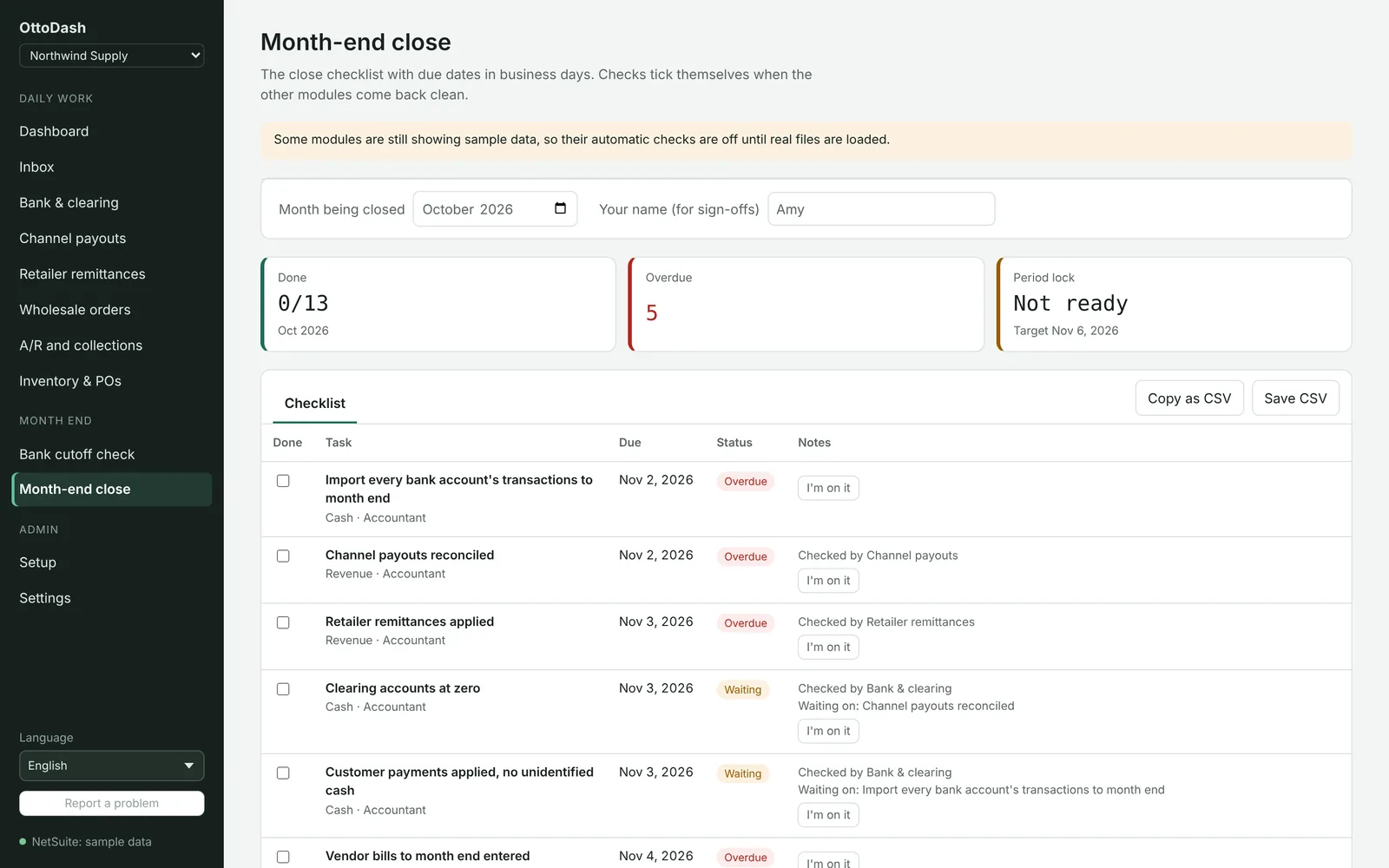
Month-end close
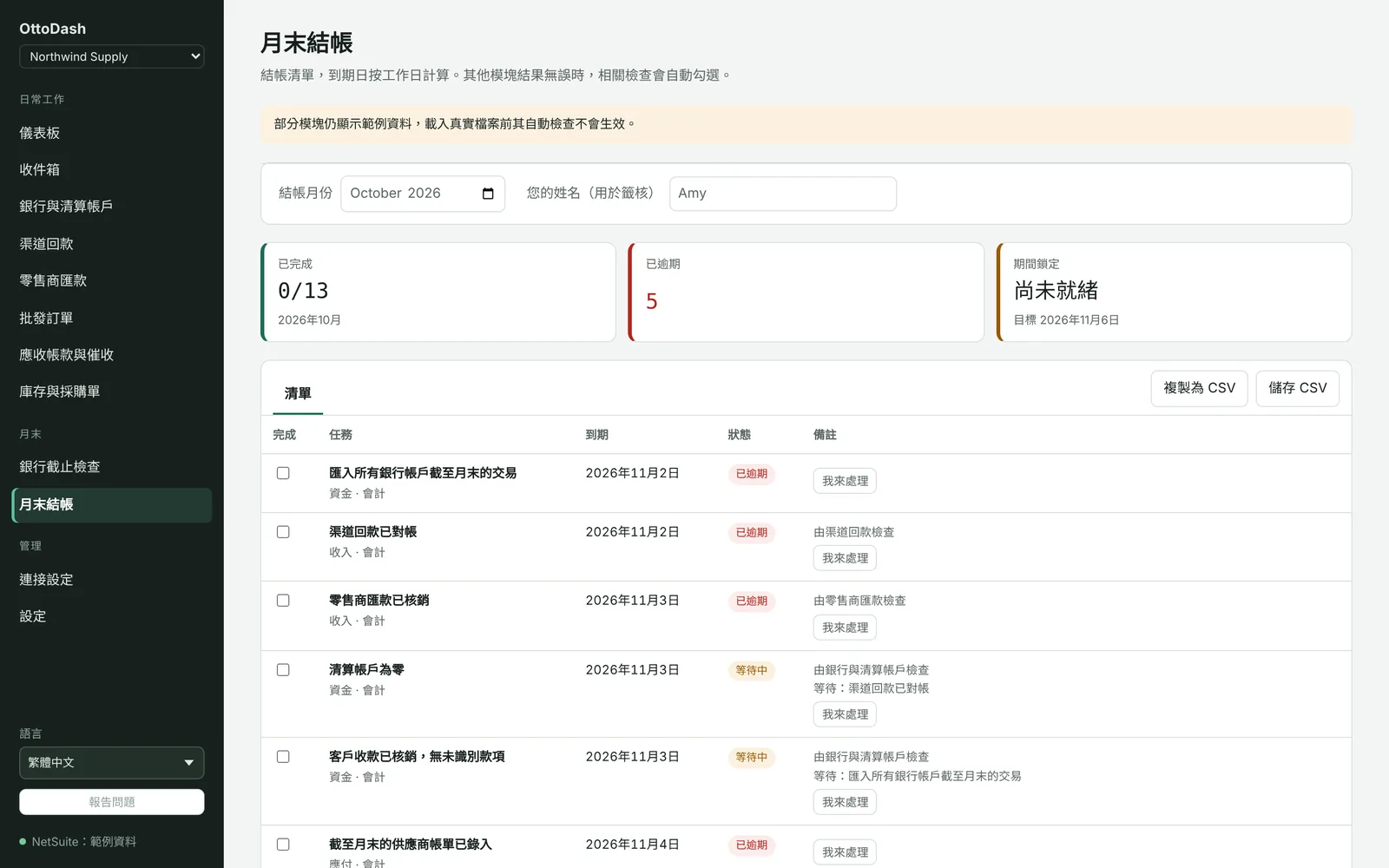
A close checklist with due dates in business days (BC holidays included). Tasks tick themselves when the screen that checks them comes back clean.
- Bank cutoff check finds entries posted to the wrong month
- Each accountant claims a task, so nothing is done twice
- Reviewers approve work, but never their own
- Period lock readiness at a glance
Inbox
Outlook or Gmail sorted into purchase orders, remittances and payout reports, each opened in the screen that handles it.
Wholesale orders
A PO email checked against the customer's terms, credit and price list, with the sales order and reply drafted.
A/R & collections
Who to follow up today, aging by customer, promises to pay, and a draft email for each. Nothing is sent for you.
Inventory & POs
When each backorder can ship, items with no PO coming, and late POs, using each vendor's real lead time.
How it works
Running in an afternoon, not a quarter
No implementation project. Your NetSuite admin creates a read-only role; everything else is done in the app's Setup screen.
Connect NetSuite
The app makes the certificate; your admin creates a read-only integration and role. About ten minutes.
Add your channels
Connect Shopify, Amazon, Stripe or PayPal with one click, or upload their reports. Add Outlook or Gmail if you want the inbox.
Invite the team
Sign in with Microsoft or Google. Preparers do the work, reviewers approve it, admins manage people and connections.
Work the list
Load the day's bank file. Review what OttoDash matched, fix what it flags, and import the file it gives you.
Built for teams
Several accountants, one set of books, no stepping on each other
Most tools assume one person. Finance teams don't work that way.
"I'm on it"
Claim an email, a customer, a payment or a close task. Everyone sees who has it, so no one does it twice.
Prepare and review
Results are saved with who prepared them. A reviewer approves, and the app won't let anyone approve their own work.
Saves that don't collide
Two people ticking the checklist or logging a call at the same moment both keep their change. Tested with dozens at once.
Report a problem
From any screen. If a bank file isn't recognised, send its layout (column names only, never the figures) and we add it.
Several companies
Bookkeepers and groups switch between companies from the sidebar. Each company's data stays completely separate.
Desk or phone
Runs in the browser and as a Windows or Mac app, and the screens work on a phone for a quick check.
Languages
Every screen in English, Simplified and Traditional Chinese
Each accountant picks their language; the files, drafts and NetSuite imports stay in English. Customer-facing drafts are always English.
Security
Designed so it can't change your books
OttoDash reads. People decide. Read the full security overview →
Read-only to NetSuite
A dedicated read-only role, and a guard in the code that allows only single SELECT queries. Imports are files a person reviews and uploads.
Nothing sent on your behalf
No emails, no postings, no payments. Follow-ups and order replies are drafts.
Secrets encrypted
Connection keys are sealed with AES-256-GCM on the server and are never sent back to anyone's screen.
Your sign-in, your people
Microsoft or Google sign-in. Only people your admin adds get in, and removing someone takes effect immediately.
Companies kept apart
Each company's data is isolated by row-level security in the database, and every access is written to an append-only log.
Rules first, AI last
Matching is done by rules you can read. Claude is used only for PDF statements and emails the rules can't read, and can be switched off.
Works with
The systems your money already moves through
Connected directly where the platform allows it, or read from the export you already download. Any other CSV or Excel layout is mapped once and remembered.
Pricing
Early access
We're onboarding a small group of NetSuite companies and setting each one up with them.
30-day free trial
Then a monthly subscription per company, priced with you during the trial. No setup fee for founding customers.
- Every screen, for your whole finance team
- NetSuite connection set up with your admin
- Your bank and remittance layouts added for you
- English and Chinese for every accountant
- Export or delete all your data at any time
- Run on NetSuite
- Sell through Shopify, Amazon or big-box retailers
- Have one or more accountants reconciling every day
- Close the month by hand in spreadsheets
Questions first? hello@zetstudios.ca
FAQ
Questions we hear
Does OttoDash write to NetSuite?
No. It connects with a read-only role and only runs read queries. When something needs to go into NetSuite, OttoDash gives you an import file (customer payments, deductions, journals) that a person reviews and imports.
What do we need to get started?
A NetSuite administrator for about ten minutes to create the read-only integration and role (the app walks them through it), and your usual bank and platform exports. Shopify, Amazon, Stripe and PayPal can be connected directly.
Our bank or retailer file isn't on your list.
Upload it anyway. If OttoDash doesn't recognise the layout, it asks which column is which once and remembers. You can also send us the layout (column names only, no figures) from the app and we'll add it.
Is AI making decisions about our money?
No. Matching, classification and totals are rules you can read and test. Claude is used only to read PDF statements and emails the rules can't parse, and to explain a result when you ask. It can be switched off.
Can several accountants use it at once?
Yes. Work items can be claimed, shared settings merge rather than overwrite, and reviewers approve each other's work. Roles are preparer, reviewer and admin.
Where is our data, and can we take it with us?
On ZET's servers with each company kept separate, and only for the purpose of running OttoDash. An admin can download everything at any time and delete the company from Settings. See the privacy policy.
Who builds OttoDash?
ZET Studios Inc., a software studio in Langley, British Columbia. OttoDash grew out of reconciliation work for a NetSuite wholesaler selling through Amazon, retailers and its own Shopify stores.
See your own month-end in OttoDash
Thirty minutes, on a call, with sample data that looks like yours.